



 survivorpoke.com
Visit our PokéSurvivor channel to watch videos and follow new uploads.
Visit our YouTube channel ↗PokéSurvivor — Play Online Free
Play free in your browser, with no download.
966Pokémon
103Moves
13Tools
6Language
Community QoL edition
Jump in without signing up
Try our free fan-made fork at survivorpoke.com. Automatic assists handle more choices while you move and dodge.
- No manual login
- Automatic skill switching
- Auto move evolution when eligible
- Owned-partner recommendations
Based on PokéSurvivor by JPTER78. Free, non-commercial and independently maintained. Original: pokesurvivor.com ↗.
POKÉSURVIVOR
What is PokéSurvivor?
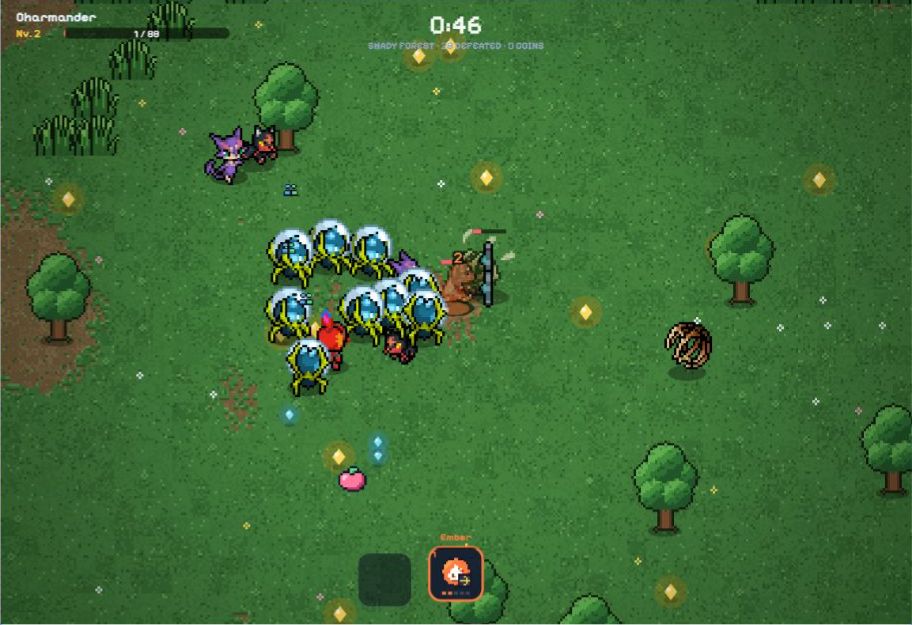
PokéSurvivor is a free Pokémon survival game with Mystery Dungeon pixel sprites. Your Pokémon attacks automatically with its selected move while you move through waves of enemies. Pick upgrades as you level up, evolve your moves, fight bosses and enter legendary rifts. The collection includes 966 Pokémon across nine generations.
Read guide →How to play PokéSurvivor online
- Click Start game to open the community edition at survivorpoke.com. It creates an anonymous game identity automatically; no registration or login form is required.
- Use the recommended partner from your owned collection or choose one yourself, then start a run. Original-game accounts and saves do not transfer automatically.
- Move with WASD or the arrow keys, or use the touch joystick in landscape. The active move attacks automatically; optional assistance switches learned moves and chooses from real level-up cards after a preview. You can choose a card yourself.
- Use AUTO or Settings → Controls to adjust assistance. You still move, dodge and choose items and Bonds. Use 1–4 or Q/E to change the active move manually and Esc/P to pause.
- After a completed run, check the save status. Permanent progress keeps a browser copy and attempts cloud sync; optional Google linking protects recovery. Temporary mode keeps no progress, and reloading does not resume a battle.
Latest game changes
4 November: online account pulls and service changes
Account pulls now require the original server. Check failed pulls, save conflicts, friends, rooms and rankings; guest play and shop rules remain available.
Details →Help & troubleshooting
Help & troubleshooting →Common PokéSurvivor questions
Check move evolution requirements, starting partners, gacha pity and saving your progress.

Why won’t my move evolve?
Check the move’s level and required run card.
Details →Which starter should I choose?
Compare starter stats and starting moves.
Details →
How does the 70-pull pity work?
Calculate pull odds and the 5★ guarantee.
Details →Will my progress be saved?
Learn how guest progress and account saves work.
Details →Wiki
View all →PokéSurvivor Wiki


Starter
Full Pokédex →Choose your next partner
Tier List
Compare recommended partners, Mewtwo, Eternatus, Marshadow and Slaking before choosing your next run.
See recommendations →Best PokémonChoose a partner for your goal, follow its move and evolution route, then load a plan in the build planner.
See recommendations →Popular Pokémon: moves and evolution routes
MewtwoMoves, evolutions & unlock routeEternatusMoves, evolutions & unlock routeMarshadowMoves, evolutions & unlock routeSlakingMoves, evolutions & unlock route



Which starter should I choose?



Tools
All tools
Calculate damage, check move evolutions, compare Pokémon and work out gacha odds or upgrade costs. Data version · d567c6da →
PokéSurvivor Companion
Free Chrome / Edge extension with in-game recommendations. Download the ZIP and install locally. Advice by default; you control movement.
Download extension →Build Planner
Choose a Pokémon, moves, cards, upgrades and one held item. Check which attacks share the active slot and what each move needs to evolve.
Damage Calculator
Choose your Pokémon, move level, enemy types and weather. Calculate damage per hit, critical damage and attack output using your hit and enemy counts.
Evolution Checker
Select a move, its current level and the stat cards taken this run. See whether it can evolve and which level or card is still missing.
Pokémon Compare
Compare two to four Pokémon with the same upgrades. See HP, attack, speed, starting moves, available moves and how to unlock each one.
Gacha Calculator
Choose a region, target Pokémon, pull count and current pity. Calculate the chance of getting that Pokémon or any 5★ with singles or ten-pulls.
Shiny Probability
Choose wild spawns, gacha pulls or rift encounters and enter the number of eligible attempts. Calculate the chance of at least one shiny appearing.
Upgrade Cost Planner
Enter one Pokémon’s current upgrades, target levels and PokéCoins. See each purchase price, the total cost and the permanent bonuses you will gain.
Type Matchup Tool
Choose an attack type, one or two enemy types and optional weather. Find PokéSurvivor’s damage multiplier for that matchup.
XP Planner
Enter your level, current XP and target level. Find the XP still needed, then estimate pickups or kills using the XP you receive from each.
Rift Planner
Enter run time, missed rift checks and whether a boss, portal or arena is active. See the next valid check and the chance of a rift opening.
Run Timeline
Enter the time on the run clock. See the current enemy tier, upcoming bosses and possible weather, event and rift windows.
Collection Tracker
Mark owned Pokémon, shiny variants, defeated legendaries and completed achievements. Filter what is missing and export or import your tracker backup.
Choice Helper
Enter your run and 1–4 actual offers. Compare immediate gains, conditional future gains and what is lost.
Builds
View all →Pokémon builds
See the moves, held item and stat cards for each Pokémon build, then load it in the planner.
EmberNasty Plot
Current original build. Upgrade Ember to level 5 and take the Power run card to evolve it. After earning a Bond, add Nasty Plot to the same slot. Use Quick Claw if you find it.
DetailsBuilds
Squirtle: ranged sustain
Water GunAqua Ring
Current original build. Start with Water Gun and take the Power run card for its evolution. Use a Bond to add Aqua Ring for healing in the same slot, and equip Leftovers if you find it.
DetailsVine WhipHarden
Current original build. Use Vine Whip to clear enemies at close range with 25% less damage received while melee is active. After a Bond, add Harden; equip Assault Vest for more defense.
DetailsGuides
View all →PokéSurvivor · Guides
Learn the controls, choose a starter and find out how to beat the first boss.
Guides · 03
Getting started: your first PokéSurvivor run
Start PokéSurvivor with a named partner, a card route and a plan for the first boss.
Read guide →Guides · 04PokéSurvivor controls: controller, keyboard, touch and manual aim
On the October 25 original, a controller no longer automatically selects a ticket-spending pull button after Continue.
Read guide →Guides · 07First boss: prepare for the 3-minute fight
Prepare a usable starter attack for 3:00 and read the first boss’s telegraphed patterns.
Read guide →Legendary rifts
Check 18 arena types, 87 legendary opponents, portal timings and battle conditions.
Help & troubleshooting
Playing PokéSurvivor online: FAQ
Does PokéSurvivor have a hard mode or other game modes?
The original browser game and our embedded community edition have no separate Hard or Nightmare difficulty setting. You can play solo or in co-op with up to four players; enemies get stronger over time and the Judgment of Arceus starts at 30:00. Our community edition also lets you turn off automatic skill switching and card choices. Game modes, difficulty and harder challenges →
Is PokéSurvivor free to play?
Yes. Start game opens our free, independently maintained community edition at survivorpoke.com, based on JPTER78’s original game. The original at pokesurvivor.com remains available through Open original game; its accounts and saves are separate.
Do I need to download PokéSurvivor?
No download is needed here. Click Start game in your browser, or use Open community game to open the same edition separately. Installing the original game’s PWA is a different route described in the platform guide; it does not transfer your community save.
How do I start playing?
Click Start game. The community edition creates its own anonymous identity without a manual login. Select an owned partner and start the run; move with WASD, arrows or the touch joystick. Automatic skill and card assists are optional; you can take over through AUTO and Settings → Controls. Community edition, controls and saving →
Can I play PokéSurvivor on a phone or tablet?
Yes. Turn to landscape, move with the touch joystick and use the move buttons for manual switching. Full screen gives more room. If embedding fails, Open community game keeps you on the same edition; check that you use the same protected community account. Open original game is a separate service with a separate save. Mobile controls and setup →
Which languages does the game support?
The embedded community game offers English and Spanish. This site provides Wiki, guides and tools in English, Spanish, French, German, Portuguese and Chinese. Changing the site language does not translate the game; third-party patches for the original are not automatically installed in this community edition.
Will my PokéSurvivor progress be saved?
The community edition uses an automatic anonymous identity, not a permanent guest promise. Permanent progress keeps a browser copy and attempts cloud sync: confirm the save status after a finished run or purchase. Link Google before clearing browser data or changing devices; a nickname alone cannot recover an unlinked identity. Temporary mode keeps no progress. Reloading ends the battle, and original-game saves do not transfer automatically. Community edition, controls and saving →